AI Defect Detection for Plastic Film: Catching Gels, Burn-Throughs and Seal Defects
A field guide to plastic film inspection with AI: what gels, eyelashes, burn-throughs and bad seals look like, what causes them and how to test your film.

- Most film claims start with defects that are small, faint and intermittent: gels, eyelashes, carbon specks, pinholes and seals that go uneven across part of the web.
- Each defect type points back to a place on the line, from the screen pack and die lip to the seal jaw, so every detection doubles as a process signal.
- Across four high-speed lines, a flexible packaging producer cut scrap by 25% and customer claims by 50%, with a 4-month payback.
A gel the size of a pinhead won’t stop a blown film line. Neither will a faint eyelash streak, or a seal that’s gone uneven along one side of the web. They ride along into the roll, and a converter or brand owner finds them later. Plastic film inspection with AI is about catching those defects inline, at full line speed, and telling the operator which part of the process made them.
What follows is a field guide: what each common defect looks like, where it comes from and what to check first when it shows up.
Why film defects get past people and thresholds
The defects behind most film claims are small, faint and intermittent. A gel appears when a bit of degraded resin breaks loose from a dead spot in the melt path, shows up for a stretch of web, then disappears. A seal jaw drifts out of temperature slowly, so seal strength falls off a little at a time. Nothing about either one grabs attention.
An operator walking the line sees samples, and what they catch depends on the shift and on how long they’ve been standing there. Rule-based vision has the opposite problem. It watches every foot of web, but it judges brightness and contrast against fixed thresholds, and film is full of things that change brightness without being defects: gloss, print, web flutter, gauge bands, shifts in opacity. Tighten the thresholds and the line drowns in false alarms. Loosen them and gels go through. We’ve written more about that tradeoff in AI vs rule-based machine vision.
Lab checks catch problems too, hours after the film was made. By then the roll is wound and the only choices left are slitting, downgrading or scrapping.
Melt-side defects
These start upstream of the bubble or the cast roll, so they tell you the most about the extruder.
Gels are small hard spots or lens-shaped inclusions of unmelted or cross-linked resin. Amber gels are the degraded version, yellowed or brown from too much time at temperature. When gels climb, look at the screen pack first, then melt temperature, then whichever resin lot just went into the hopper.
Eyelashes are thin, curved streaks, often so faint you’d miss them holding the film up to a light. They come from material that builds up and degrades at the die lip before it gets dragged out into the web. A rising eyelash count usually means the die lip cleaning schedule has been stretched too far.
Carbon specks are dark particles of carbonized resin that break off the screw, a dead spot in the adapter or the die itself. They tend to show up late in a long run, or right after a purge that didn’t clear everything.
Pinholes are tiny through-holes. Contamination and thin spots in the gauge profile are the usual suspects, so pull up the gauge profile and check filtration.
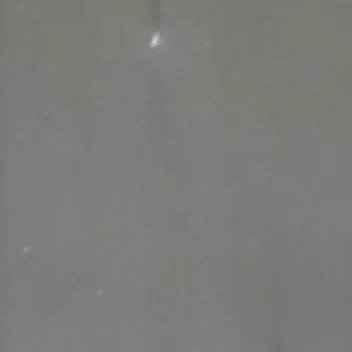

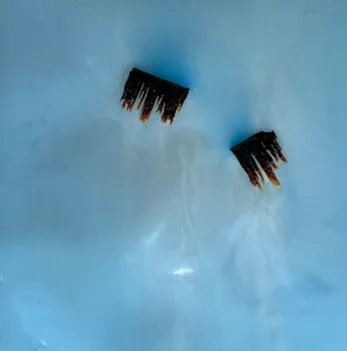
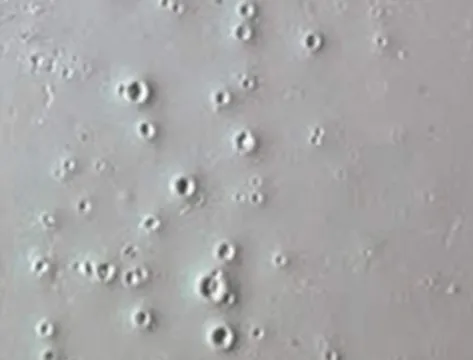
Film defects as an inline camera sees them.
Heat and seal defects
Bag-making and converting lines add heat stations, and heat stations make their own defects.
Burn-through shows up as holes or blistered, bubbled areas where the film got too hot at a sealing or perforating station. Seal temperature and dwell time are the first settings to check. One heat event can compromise a whole run of bags, so on these lines the alert matters more than the count.
A bad seal bar leaves a seal line that’s uneven, incomplete or crooked across the web. A camera sees how a seal looks, not how strong it is, so this is an early warning and not a substitute for seal-strength testing. On printed film the seal often crosses a colored band, and a threshold system has to deal with a big brightness change right at the seal. The cause is almost always the seal jaw: its temperature, its pressure or wear on the bar.
Handling and converting defects
Contamination and inclusions are foreign particles on or in the film. Airborne debris, bits of regrind and material picked up in handling all count, and they’re more common on lines running higher regrind or recycled content.
Scratches and abrasions run in the machine direction. They point to an idler roll, a guide or winding tension somewhere on the web path, and walking the web path with the defect position in hand usually finds the culprit.
Gusset irregularities, where a fold sits out of position or uneven, trace back to forming board setup and web tension. On converting lines the same cameras can also check wicketed bag mounting and stack alignment, which otherwise get caught at the packing table, if they get caught at all.
Here’s the whole field guide on one screen:
| Defect | What it looks like | Check first |
|---|---|---|
| Gels / amber gels | Hard spots or lens-shaped inclusions | Screen pack, melt temperature, resin lot |
| Eyelashes | Thin curved streaks, often faint | Die lip build-up and cleaning schedule |
| Carbon specks | Dark embedded particles | Purge history, dead spots in the melt path |
| Pinholes | Tiny through-holes | Gauge profile, filtration |
| Burn-through / bubbles | Holes or blistered areas | Seal temperature and dwell time |
| Bad seal bar | Uneven, incomplete or crooked seal line | Seal jaw temperature, pressure, bar wear |
| Contamination / inclusions | Foreign particles on or in the web | Material handling, regrind ratio |
| Scratches / abrasions | Marks along the machine direction | Idler rolls, guides, winding tension |
| Gusset irregularities | Folds out of position or uneven | Forming board alignment, web tension |
How the model reads film through gloss and print
Tristar starts from a foundation model that already understands materials. It looks past background, reflections, gradients, shadows, opacity and gloss, and pays attention to the film itself. That’s why printed and high-gloss webs, where threshold systems have the hardest time, are workable. How the model is trained and tuned for a new line is covered in how AI defect detection works.
The hardware is ordinary. Line-scan cameras span the web, with lighting chosen for the film, since clear, printed, matte and glossy webs each want a different setup. Lighting is set up to keep glare off the web. Images are processed on a GPU server next to the line, inside the plant, and edge AI quality inspection walks through that architecture. Tristar has run on lines moving up to 1,600 feet per minute.
When you change SKU or print job, what the model has learned carries over. A new product doesn’t mean starting over.
Roll maps: cut the section, keep the roll
A detection only matters if it changes what happens to the film. Every defect is logged with its position across the web, its position along the roll, its size and the time it passed the camera. That becomes a roll report and a roll map, and at the rewinder or slitter the operator can find the affected section and cut it out instead of downgrading the whole roll.
Other actions hang off the same detection:
- On-screen and audible alerts at the line, plus mass alerting when a defect type starts to trend up
- PLC signals to flaggers or edge markers, so the bad section is easy to find later
- Defects tied to lot, so a customer claim gets answered with the roll map for that roll
- Quality data sent to MES or ERP, where planning can see it
- A leadership dashboard that rolls up defect trends by line
Results from four film lines
A flexible packaging producer put inline AI inspection on four high-speed film lines, aimed at contamination, seal bar defects and gusset irregularities. The full write-up is in the plastic film case study.
Scrap came down because operators corrected the process while the problem was still small, and because roll maps limited each cut to the bad section. Manual inspection needed 2 FTE fewer, and those people moved to root-cause work. Claims fell by half: fewer bad rolls shipped, and the ones that got questioned came with inspection data attached.
The producer projects $2.4M in savings over three years and is rolling the same setup out to four more plants in 2026–2027. If you run several sites, that’s the useful part. Every line ends up held to the same inspection standard.
What to send us for a first test
We don’t quote detection rates on film we haven’t seen. We’ll tell you after we run your parts, so the first step is always your material. Here’s what helps:
- Good film as well as bad. The good samples show the model what normal variation looks like on your product, which the model needs as much as the defects.
- The defects that cost you the most, named the way your team names them. If gels and bad seals drive your claims, those are the ones to send.
- Your hardest material. If you run clear, metallized or heavily printed film, include it. A test on easy film won’t tell you much.
- Line information. Film type and structure, web width, maximum line speed, where you’d want to inspect (on the flat web after the nip or chill roll, before the winder, at the sealer) and what happens today when someone spots a defect.
- What you’d do with a detection. Flagging, edge marking, a PLC signal to stop or slow the line, a roll report for the customer. Knowing that early shapes the integration.
We run the samples and come back with what the model found, what it missed and what a camera setup on your line would look like. If you’re comparing vendors at the same time, the questions in how to evaluate an AI visual inspection system apply to all of them.
Frequently asked questions
What causes gels in blown film?
Gels are usually unmelted or cross-linked resin, or degraded material that has hung up in a dead spot of the melt path and broken loose. Check the screen pack first, then melt temperature and the resin lot that most recently went into the hopper.
Can AI inspection keep up with high-speed film lines?
Yes. Line speed is a camera, lighting and processing design question. Tristar systems have run on lines moving up to 1,600 feet per minute, with processing on a GPU server inside the plant.
Does AI inspection work on clear, metallized or printed film?
Printed and metallized films are where fixed-threshold vision struggles most, because print and reflections shift brightness. On clear film a threshold finds dark and bright spots well, but has trouble telling a gel from a carbon speck or a wrinkle. The model starts from an understanding of the material and looks past those effects. Lighting is still chosen for each film type, and we'll tell you after we run your samples.
Can it inspect seals and gussets on bag-making lines?
Yes. Seal bar defects and gusset irregularities are common inspection points on converting lines, along with wicketed bag mounting and stack alignment. Camera placement changes for each station, but the model works the same way.

Our engineers design and deploy AI inspection systems on plastic film, injection molding, metal stamping and automotive assembly lines across North America.